Free Tier List Maker
Rank anything you like in a couple of minutes. Put your items on the board, drag them into the rows you think they belong in, change the labels and colours to suit you, then save the finished chart as an image. Nothing to install, and it behaves the same on a phone as it does on a laptop.
No sign-up · Saves as a sharp PNG · Your pictures are read on your device, never uploaded · Keeps working offline
Items to rank
24 Cheeseburger
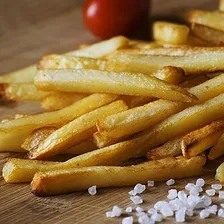 Fries
Fries Pizza
Pizza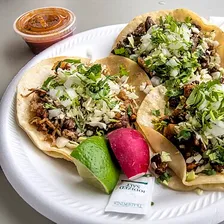 Taco
Taco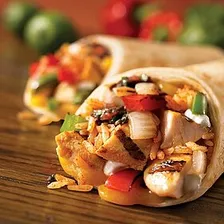 Burrito
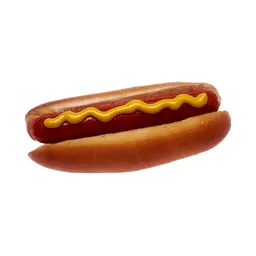 Hot Dog
 Fried Chicken
 Kebab
Kebab Sandwich
 Salad
Salad Ramen
Ramen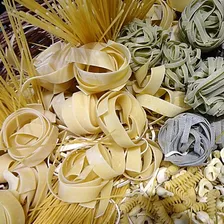 Pasta
Pasta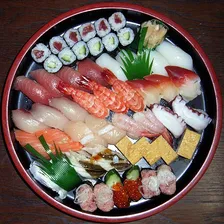 Sushi
Sushi Fried Shrimp
 Dumplings
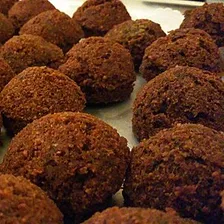 Falafel
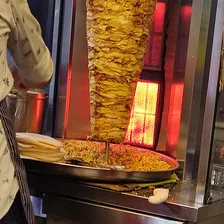 Shawarma
 Fried Rice
 Pancakes
 Waffles
 Donut
Donut Ice Cream
 Milkshake
 Bubble Tea
Popular tier list templates
Browse all categoriesStart from a set other people rank most: NFL teams, video game characters such as the Smash Bros roster, fast food, dog breeds. These are the popular tier lists visitors open first, and every set is fully editable the moment it lands in the maker above.































































Everything you need to make and share your tier list
All of it free, none of it behind an account. This is a tool for ranking whatever you like, and the board is already on screen when the page loads, so you can rank something before you finish this line.
Your pictures never leave your device
Anything you add is read by the browser itself and goes nowhere else. Nothing you rank is stored on a server, which is why the page carries on working when the connection drops.
Over three hundred ready sets
Football clubs, gacha rosters, fast food, films and plenty more, each with real pictures. Open one and it lands in the maker, where you can add to it or cut it down.
A sharp image, not a screenshot
Save image redraws the whole chart at high resolution with the labels and colours intact, at a size that still looks clean wherever you post it.
A link instead of a file
The share link carries the ranking itself. Whoever opens it lands on your chart and can edit a copy of their own without signing up.
Made for phones as well
Drag with a finger, or tap an item and then tap the row. Rows, pool and toolbar all reflow so nothing feels cramped on a small screen.
Eight languages
English, Spanish, Portuguese, French, German, Indonesian, Hindi and Arabic, with the Arabic version laid out right to left.
Editable tier list templates for anything
Browse all categoriesThere is a tier list for anything in here. Use the categories to rank video game characters, football clubs, films or snacks, then download the chart once the rows look right.
How to make a tier list
Four steps and about two minutes. Nothing to install, nothing to pay for.
Put your items on the board
Add pictures from your phone or computer, paste one straight from the clipboard, or type names in as text labels. You can also open a ready made template and change it to suit you.
Rank items by dragging
Move each item into the row you think fits, then shuffle the order inside that row until it looks right. Whatever you have not placed waits in the pool under the chart.
Customize every tier
Click a label to rename any tier, pick a different colour, add a tier, or delete one you have no use for. Five rows is only the starting point, and the chart is fully customizable.
Download and share
Save image gives you a high-resolution image file, a clean PNG to post rather than a screenshot. Share copies a link that carries the ranking itself, so a friend can open it and build their own.
What is a tier list?
A tier list is a ranking system made of rows. Every row is one tier, and anything sharing a row counts as equally good. It runs as a ranking scale from best to worst, sorted into tiers from the best down, so the top of a tier list holds your favourites and the bottom row holds what you would rather avoid. Sorting fifty things into five groups takes minutes. Putting the same fifty in an exact order from 1 to 50 takes an evening and still feels wrong.
The idea came out of Japan, where players of fighting games ranked characters by how strong they were. From there it reached anime, sports teams, music, food, dog breeds and more or less everything else, which is why the format suits anything and everything. Whatever site they are on, plenty of people still call any tool to create one a tiermaker. The letters S, A, B, C, D and F are the usual ladder, with the colours running red at the top down to blue.
What the tier letters mean
| Tier | Name | What it means |
|---|---|---|
| S | Special | Clearly the best. Nothing else on the list comes close. |
| A | Great | Very strong picks. You would recommend these without thinking. |
| B | Good | Solid and enjoyable, with a small flaw or two. |
| C | Average | Fine when there is nothing better around. |
| D | Weak | You would only pick these if you had to. |
| F | Fail | Avoid. Often used as a joke tier for the truly awful. |
S tier throws people off, because the alphabet suggests A belongs first. S comes from Japanese school and arcade grading, where it means special or superior and sits a step above A. Something in S tier is not merely good, it is in a class of its own. what does S tier mean.
None of those letters are compulsory. People rename the rows to Love it, Fine, Never again, or Would buy, Would rent, Would skip. Click any tier label in the maker above and type over it, then add or remove rows until the chart matches the way you actually think.
Common questions
Is the tier list maker really free?
Do I need to make an account?
Can I use my own images?
Are my pictures uploaded anywhere?
Does it work on a phone?
How do I save my tier list?
What does S tier mean?
Can I add more than five tiers?
Can I share a link instead of an image?
Guides and ideas
Tier List GuidesReady to make a tier list?
Scroll back to the top, drop your items in, drag them into tiers and download the picture. No sign-up, and nothing you make leaves your browser.